Reborn Download

For the Innioasis Y2 · free and open

Your Y2,
reborn.

A music player made for the click wheel. Smooth at sixty pictures a second, quick with large libraries, and it looks the way you want.

Public beta. Reborn comes with Y2Linux, a new system for the player. You can go back to the original software at any time.

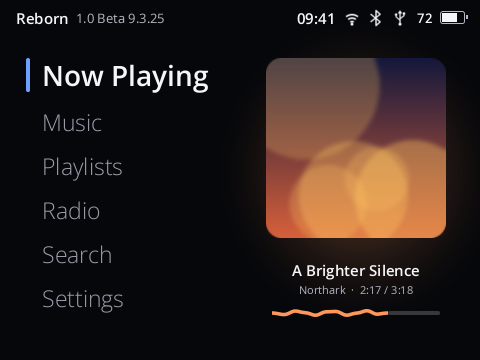
Reborn's Home screen with Now Playing, Music, Playlists, Radio, Search and Settings

Home

Your library, fast

Cover Flow, live search, folders and Up Next.

Sound you can shape

Gapless, an equalizer and profiles for 48 headphones.

Bluetooth and Wi-Fi

SBC, AAC and LDAC; updates and Last.fm over Wi-Fi.

Radio and audiobooks

Internet stations, FM on Y2s that receive it, and books that keep their place.

Videos new

Films on the Y2, decoded by its own video chip.

Seventeen skins

From Classic to Terminal, or make your own.

Home Now Playing Cover Flow Search A radio station playing An audiobook playing

Keep scrolling

Finding your music

Every album a turn of the wheel away.

Artists, albums, songs, genres and folders from Internal Storage and the SD card. Turn the wheel quickly and long lists move several rows at a time; spin it and they jump letter by letter.

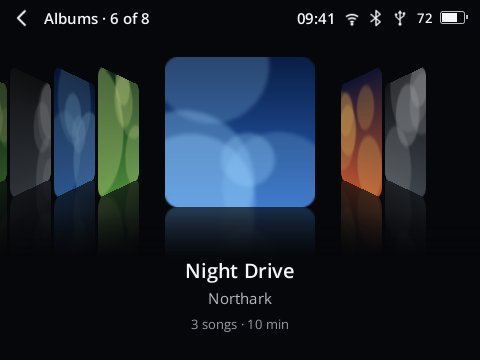
  • Cover Flow or a grid for albums, with covers from the album folder or the file.
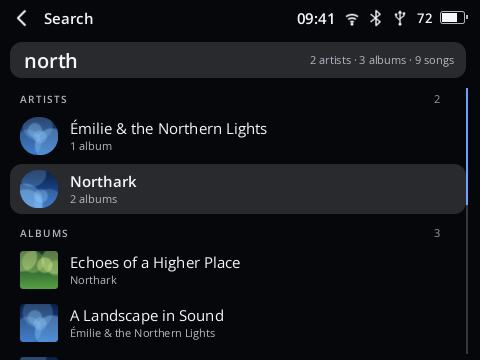
  • Search shows results while you type, across artists, albums, songs and playlists.
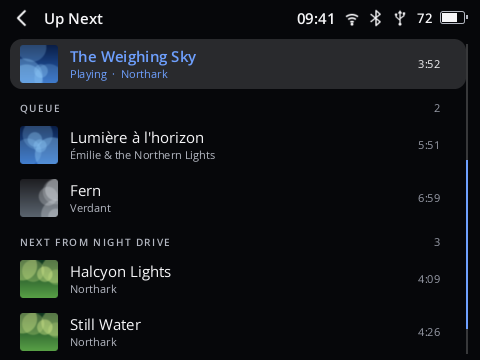
  • Up Next: Play Next and Add to Queue for anything; move or remove songs.
  • Playlists made on the player or copied from a computer, and Favorites with a heart.
Albums as Cover Flow
Cover Flow
Search results across artists, albums and songs
Search
The Up Next queue
Up Next

Listening

Nothing between the songs but the music.

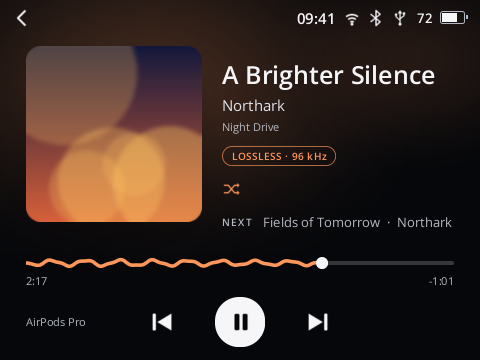
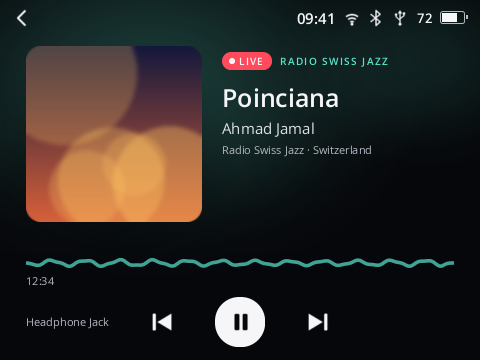
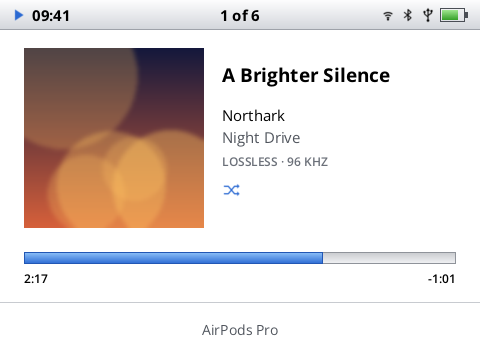
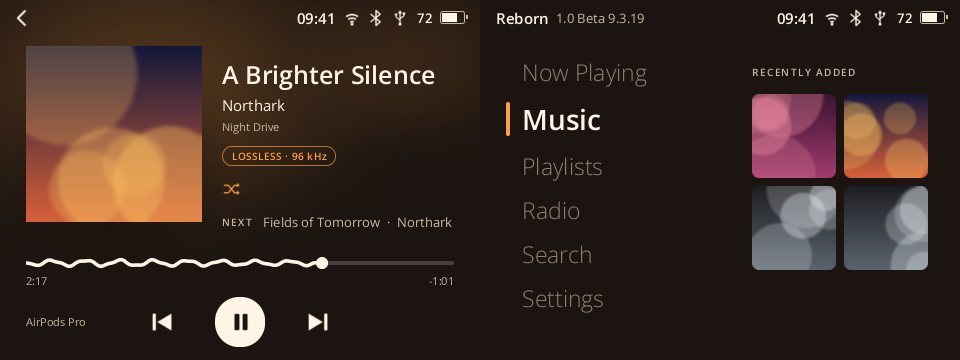
Gapless playback, crossfade up to twelve seconds, shuffle by song or by album, repeat and a sleep timer. Now Playing takes its colour from the cover, and its progress line moves with the music.

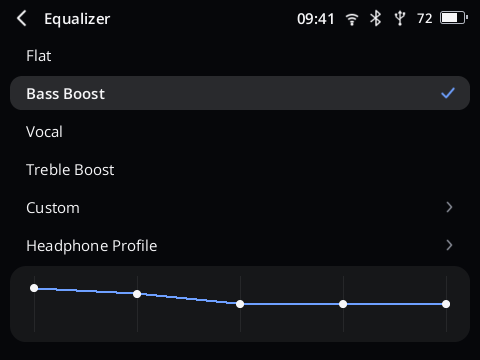
  • A five-band equalizer with presets.
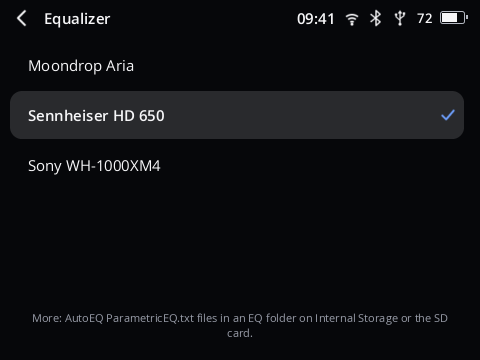
  • Headphone profiles for 48 headphones and in-ears (AutoEq), or your own file.
  • Normalize Volume, balance, headphone level and the DAC's filter.
  • FLAC, ALAC, MP3, AAC, Opus, Vorbis, WAV and more, up to high-resolution files.
Now Playing with the cover, the progress wave and the next song
Now Playing
The five-band equalizer
Equalizer
The list of headphone profiles
Headphone profiles

Bluetooth and Wi-Fi

Wireless that picks the best it can.

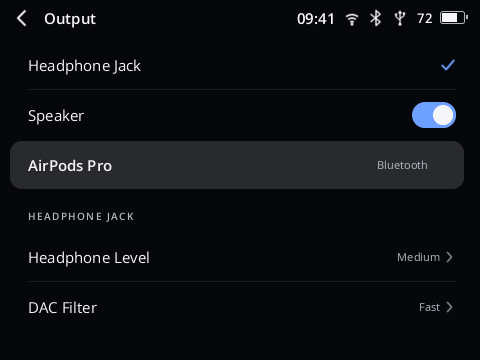
Bluetooth headphones and speakers with SBC, AAC and LDAC, chosen automatically. The music follows your headphones when they connect.

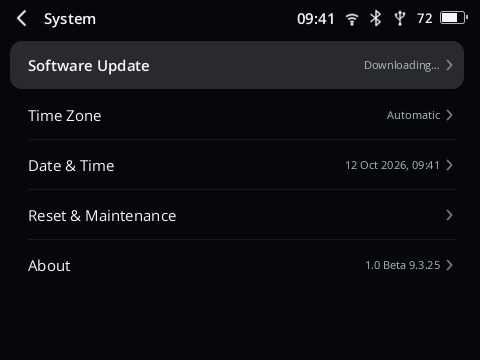
  • Updates over Wi-Fi: the player offers a new version and installs it; your music and settings stay.
  • Last.fm scrobbling: scan a code with your phone to sign in; plays wait while you are offline.
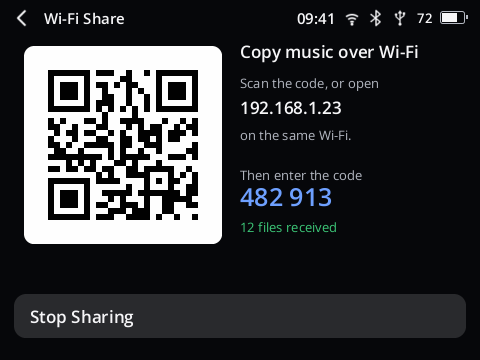
  • Wi-Fi Share new: the player becomes a small website on your home network. Scan its code with a phone, an iPhone too, or open its address on a computer, and copy music to Internal Storage or the SD card without a cable. How it works
  • Copy music over USB from Windows, macOS and Linux, to Internal Storage or the SD card.
Choosing where the sound goes
Sound output
A software update downloading
Software update
Wi-Fi Share on the player: a QR code, an address and a six-digit code
Wi-Fi Share

Radio and audiobooks

More than the songs you own.

Internet radio from radio-browser.info: popular stations, countries, genres, search and favorites, with station logos and the song that is playing.

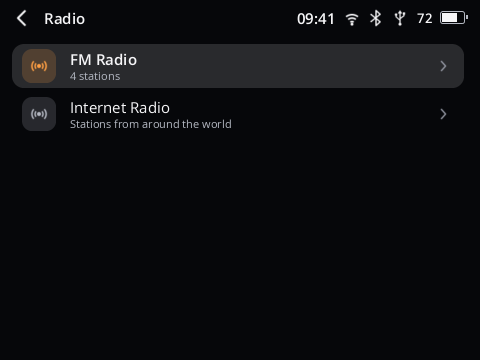
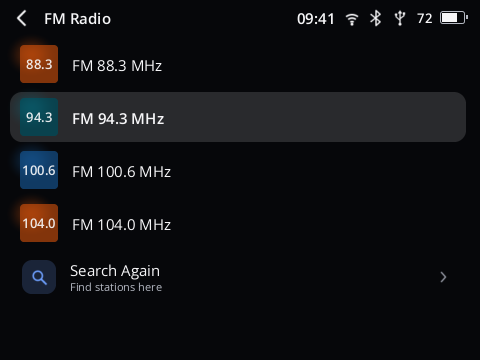
FM radio new from the player's own tuner, with wired headphones as the antenna: search the band, pick a station, no internet needed. Only on Y2s whose hardware receives FM. The first Y2 revision has the tuner but receives nothing; there one switch hides FM. Which players, and how to set it up

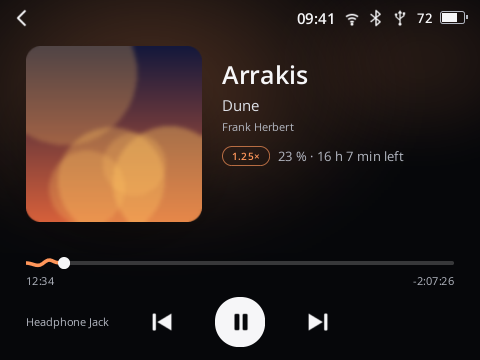
Audiobooks with chapters, your place in every book, a speed for each book from 0.75 to 2 times, and a sleep timer.

Radio with its two kinds: FM Radio and Internet Radio
Radio, on a Y2 with FM
FM stations found by a search, by frequency
FM stations
An audiobook playing with its chapter
An audiobook

And the small things

Measured, not promised.

Numbers from one player, taken while Reborn was built. Yours may differ a little.

60+pictures a second in Cover Flow, with a library of 120,829 songs
<50 msto open Songs, Artists, Albums or Search in that library
≈2 mAwhile asleep, estimated from the battery over one night
30 MB/scopying music onto Internal Storage over USB
15 sto install a system update once it is downloaded
4 msfor the video chip to decode a 1280×720 picture

Speaker and haptics

Music from the built-in speaker, and a tick you can feel as the wheel turns.

Quick menu

Hold Power on any screen: Wi-Fi, Bluetooth, brightness, the sleep timer, restart and power off.

Chinese, Japanese, Korean

Titles show as they are written, next to Latin text.

Very large libraries

Tried with 120,829 songs on one card. Later scans skip folders that did not change.

Folders and Shuffle Albums

Browse the way your files are sorted, or hear whole albums in random order.

Sleeps when you stop

The player sleeps by itself and is back at a button press. Music goes on with the screen off.

Kind to SD cards

A card with errors still plays, and Repair SD Card fixes it on the player.

Headphone care

A warning before the volume gets loud, and more level for headphones that need it.

Tells you about updates

If you like, the player says when a new version is out. One tap installs it.

Videos · early version

Films on a music player.

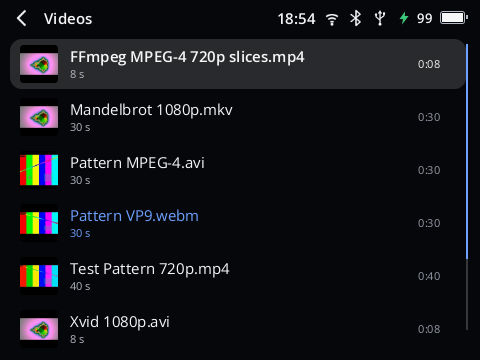
Copy video files onto the player like songs and Videos appears on Home. H.264 and Xvid/DivX films are decoded by the Y2's own video chip, through a driver written for this project.

  • Films go on where you left them; subtitles from the file or an .srt beside it.
  • Best file: MP4 with H.264 and AAC, 640×360. The screen has 480×360 pixels, so bigger looks no better.
  • Measured on one player: 1280×720 and 1920×1080 H.264 without a dropped picture.
  • H.265/HEVC and AV1 do not play; convert them first.

Video is new and parts of it are untested. Expect bugs, and please report them. Formats, converting and what was measured

The Videos list with a picture of each film
Videos, captured from a player
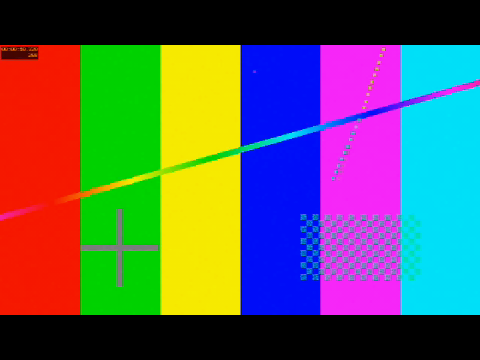
A test film playing full screen
A test film playing

Making it yours

One player, seventeen looks.

Pick a skin in Settings, or copy your own into the Skins folder. A skin is a folder with a text file and pictures; the skin guide shows how to make one.

Now Playing in the Classic skin

For skin makers

A text file and a few pictures.

A skin is a folder with one file, skin.json, plus any pictures and fonts you like. No programming and no tools: a text editor is enough. The smallest skin is a name and five colours, and many good skins stop there.

  • Start from a shipped skin. All seventeen are complete examples; copy one and change it.
  • Go as far as you like: your own Now Playing, title bars, lists, Home, Cover Flow, fonts and pictures.
  • Try it at once. Copy the folder into Skins on the player and pick it under Settings → Skin; a skin with a mistake is greyed out and says why.
  • You can't break anything. A skin only changes the look, and Reborn's own look is always in the list.

Made one you like? Share the folder, or open an issue to have it shipped with Reborn. Only include fonts and pictures you may share.

{
  "format": 1,
  "name": "Ember",
  "palette": {
    "bg":     "#1B1410",
    "text":   "#FFF4E6",
    "muted":  "#C9B8A6",
    "dim":    "#8F7F70",
    "accent": "#FF9F43"
  }
}
The Ember example: Now Playing and Home in Reborn's layout with warm colours
That file on the player: Ember, colours only
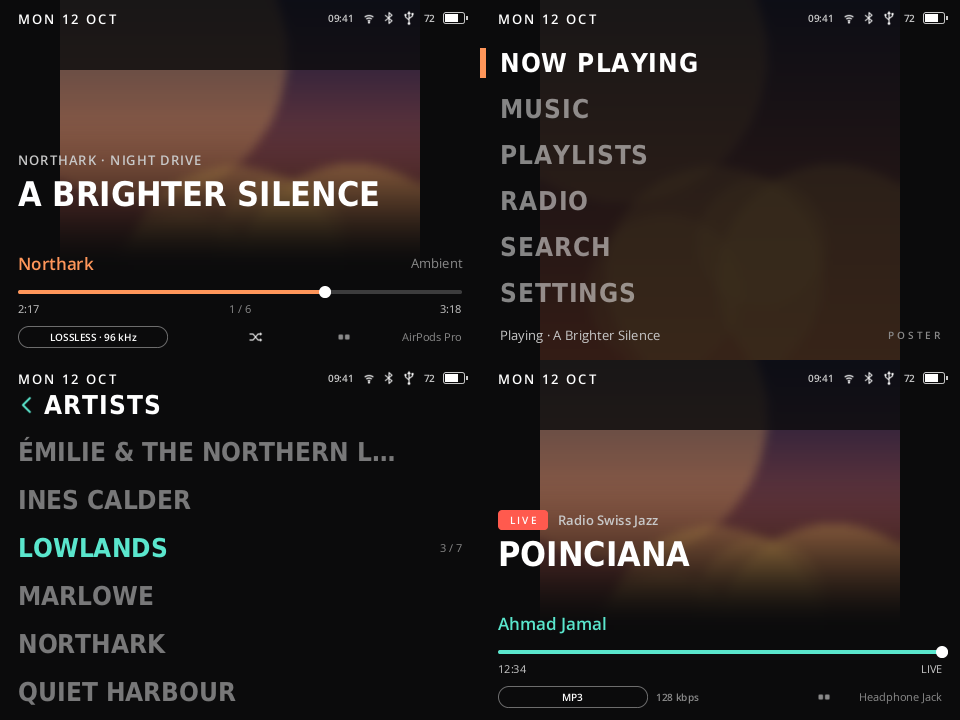
The Poster example skin: Now Playing, Home, Artists and a radio station
Poster, an example with its own layouts

What's new

The newest versions, in short.

Reborn and Y2Linux are updated together. A player on Wi-Fi offers each new version by itself.

The list of versions is on the releases page.

All versions with full notes and downloads

Install

On your Y2 in a few minutes.

Reborn has no installer of its own: it comes with Y2Linux, the system it runs on. Installing replaces the player's software. Your way back to the original software stays open.

A With the Innioasis Updater easiest

The community's updater installs Y2Linux for you on Windows, macOS and Linux.

  1. Download Innioasis Updater CE and open it.
  2. Choose Y2, then Reborn (Y2Linux) and the latest release.
  3. Click Install / Restore, switch the Y2 off and connect it when asked.
  4. Copy system.img from the Innioasis Y2 firmware package v3.2.0 into the Firmware folder on Internal Storage. Wi-Fi and Bluetooth switch on with it.

Step-by-step guide for each computer

B With SP Flash Tool

The manual way, for people who know the tool.

  1. Get the first-install zip from the latest release and the Innioasis Y2 firmware package v3.2.0.
  2. SP Flash Tool, Download Only, with the scatter file from the Y2Linux zip.
  3. Connect the switched-off Y2 and wait for the green tick.
  4. Copy system.img into the Firmware folder, as above.

Full install guide

C Already on Y2Linux

Nothing to download on a computer.

  1. Connect the player to Wi-Fi.
  2. Settings → System → Software Update → Update Now.

Your music, playlists, settings, Wi-Fi networks and Bluetooth pairings stay.

Questions

Before you install.

Does it replace the original software?

Yes. Y2Linux and Reborn take the place of the player's Android software. Going back is possible at any time: the Innioasis Updater offers Original Software for the Y2, and the Innioasis firmware package v3.2.0 restores it with SP Flash Tool.

What happens to my music?

Music on the SD card is not touched. The first start sets up the player's Internal Storage anew; a small amount of files on it is kept, a large library is left alone until you have copied it away. Copy the music from Internal Storage to a computer before you install. How storage works

Why do I need a file from Innioasis?

The Wi-Fi and Bluetooth chip needs its maker's firmware, which this project may not hand out. The player takes it from system.img of the Innioasis firmware package once you copy that file into the Firmware folder. Music works without it.

Can I copy music from an iPhone or without a cable?

Yes, with Wi-Fi Share (Settings → Library → Wi-Fi Share). The player shows a QR code and a six-digit code; any phone, tablet or computer on the same Wi-Fi opens a file browser for Internal Storage and the SD card in its browser. The connection is not encrypted, so use it on a network you trust. A USB cable is faster for a whole library.

Does FM radio work on my Y2?

Only if your Y2's hardware receives FM. Later revisions of the Y2 do; the first revision has the tuner chip but picks up no stations, and no software can change that. Try it: Radio → FM Radio → Search for Stations, with wired headphones plugged in. If the search finds nothing, Hide FM Radio on that page takes FM out of the menu. FM also needs the same Innioasis system.img as Wi-Fi and Bluetooth; a player set up before FM arrived needs that file copied into the Firmware folder once more. FM radio guide

Is it finished?

No. It is a public beta that gets updates often. What is known not to work is listed with every release.

Something is wrong. What now?

Send an error report from the player (Settings → System → Error Reports) and open an issue. Restore Previous System in the player's diagnostics takes you back to the version you had before an update.

Which players does it run on?

The Innioasis Y2 only.

Open source

Reborn and Y2Linux are public on GitHub, down to the drivers written for this player. Read it, change it, build it yourself.

No account, no tracking

The player goes online only for what you ask of it: radio, updates, the clock, Last.fm if you sign in, and an error report when you send one.

Always a way back

Restore Previous System returns to the version before an update, and the original Innioasis software can be put back at any time.